Introduction

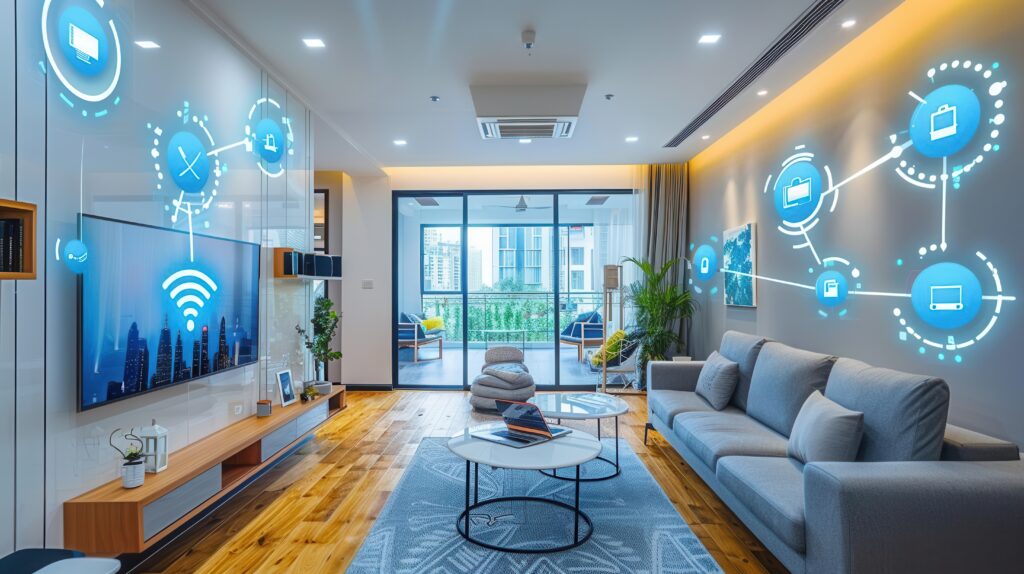
Smart home technology has moved beyond luxury homes and is becoming increasingly practical for apartments, villas and modern Indian homes.
From automatically switching off lights to controlling air conditioners, curtains, security cameras and appliances from a smartphone, automation can make everyday living more convenient.
But smart home design is not about installing as many devices as possible.
The real objective is to use technology where it solves a genuine problem, improves convenience, increases security or reduces unnecessary energy consumption.
This guide explains the most useful smart home automation options to consider while planning your Indian home interiors.
What Is Smart Home Automation?
Smart home automation connects electrical devices, appliances and systems so that they can be controlled automatically, remotely or through a common interface.
Depending on the system, you may control devices through:
-
Smartphone apps
-
Voice commands
-
Sensors
-
Remote controls
-
Timers
-
Automated routines
-
Wall switches
For example, one command could turn off selected lights, switch off the air conditioner and close the curtains when you leave home.
1. Start With Your Lifestyle
Don’t start by buying smart devices.
Start by identifying what you want automation to achieve.
Ask yourself:
-
Which tasks do I repeat every day?
-
Which lights or appliances are frequently forgotten?
-
Do I want better home security?
-
Do I want remote control while travelling?
-
Which rooms need automation?
-
Do I want voice control?
-
Do I want energy monitoring?
This prevents the common mistake of spending money on gadgets that provide little practical value.
2. Smart Lighting
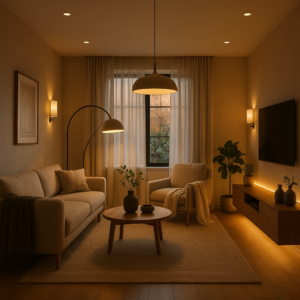
Smart lighting is one of the easiest ways to introduce automation into a home.
Depending on the system, you can control:
-
Ceiling lights
-
Cove lighting
-
Bedside lights
-
Decorative lighting
-
Outdoor lights
-
Accent lighting
Useful features include:
-
App control
-
Voice control
-
Dimming
-
Scheduling
-
Motion sensors
-
Scene creation
For example, a “Good Night” scene could switch off selected lights while leaving a passage or bathroom night light on.
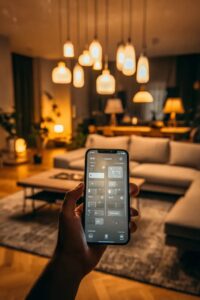

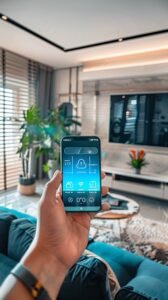
Smart lighting is most useful when integrated into the overall electrical and interior design rather than added randomly after the project is complete.
3. Smart AC and Climate Control
Air conditioning can be a significant part of household electricity consumption.
Smart controls can allow you to:
-
Control AC remotely
-
Schedule operation
-
Adjust temperature
-
Turn the AC off when leaving
-
Integrate climate control into scenes
For homes with multiple AC units, centralized control can make everyday management easier.
However, automation should not replace sensible temperature settings and energy-efficient equipment.
4. Smart Curtains and Blinds
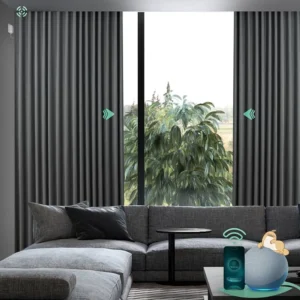
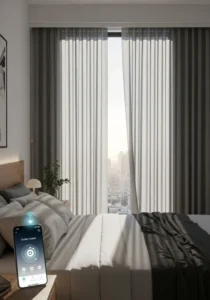
Motorized curtains can be particularly useful in bedrooms and large living spaces.
They can be programmed to:
-
Open in the morning
-
Close during strong sunlight
-
Close automatically at night
-
Operate through voice commands
-
Work with lighting or security routines
Besides convenience, automated curtains can help manage sunlight and privacy.
They should be planned before the false ceiling and curtain pelmet are finalized because motors and power requirements need to be accommodated.
5. Smart Home Security
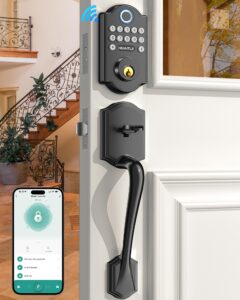
Security is one of the more practical applications of smart technology.
Depending on your requirements, consider:
-
Smart door locks
-
Video doorbells
-
Security cameras
-
Motion sensors
-
Door and window sensors
-
Smart alarms
-
Remote notifications
A smart security system can allow you to monitor the home remotely and receive alerts when specific events occur.
However, security devices should be selected carefully. Privacy, data security, network reliability and manufacturer support matter just as much as features.
6. Smart Door Locks

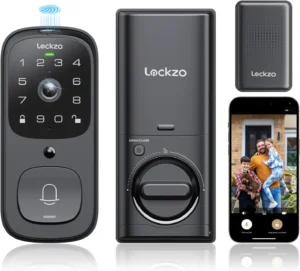
Smart locks can provide alternatives to traditional keys.
Depending on the model, access may be through:
-
PIN
-
Fingerprint
-
Smartphone
-
RFID/card
-
Physical key backup
Some systems can also provide temporary access to guests or service personnel.
For Indian homes, always consider what happens during a power failure or internet outage. A reliable backup method is essential.
7. Smart Appliances
Many modern appliances can be connected to smart-home systems.
Examples include:
-
Washing machines
-
Refrigerators
-
Ovens
-
Air conditioners
-
Water heaters
-
Robot vacuum cleaners
However, not every appliance needs to be smart.
If an appliance’s smart features don’t solve a real problem, spending more for connectivity may not provide meaningful value.
8. Voice Control
Voice assistants can make everyday control convenient.
You can potentially use voice commands to:
-
Switch lights on or off
-
Adjust compatible ACs
-
Operate curtains
-
Control entertainment systems
-
Activate scenes
Voice control is particularly useful when your hands are occupied or when switches are not easily accessible.
It should be considered a convenience layer rather than the only method of controlling the home.
9. Create Smart Scenes
One of the most useful aspects of home automation is combining several actions into one routine.
Examples include:
Good Morning
-
Open curtains
-
Turn on selected lights
-
Switch off night lighting
Movie Mode
-
Dim living-room lights
-
Close curtains
-
Switch on the TV
Good Night
-
Turn off selected lights
-
Switch off entertainment devices
-
Lock compatible doors
-
Activate security sensors
Away Mode
-
Turn off unnecessary lights
-
Switch off selected appliances
-
Activate security devices
Scenes can make automation much more useful than controlling individual devices separately.
10. Smart Plugs and Energy Management
Smart plugs can be useful for controlling selected appliances remotely or according to schedules.
They may be useful for:
-
Lamps
-
Chargers
-
Small appliances
-
Entertainment equipment
Some systems can also provide energy monitoring.
This can help identify devices that consume unnecessary electricity.
However, not every high-power appliance should be connected through a generic smart plug. Electrical load ratings and compatibility must be checked carefully.
11. Plan Wiring Before Interior Work
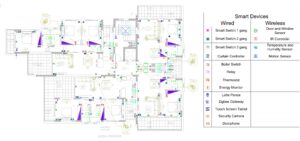
This is one of the most important points.
Smart-home requirements should ideally be considered before electrical work, false ceilings and custom furniture are finalized.
Plan for:
-
Power points
-
Switch locations
-
Network points
-
Wi-Fi coverage
-
Curtain motor power
-
Sensor locations
-
Smart locks
-
Cameras
-
TV and entertainment equipment
-
Automation control panels
Some systems can work wirelessly, while others benefit from dedicated wiring.
Retrofitting automation after the interiors are completed can be more expensive and disruptive.
12. Don’t Depend Entirely on Wi-Fi
A smart home becomes frustrating when devices stop responding because the network is unreliable.
Before installing multiple connected devices, consider:
-
Wi-Fi coverage
-
Router location
-
Network capacity
-
Internet reliability
-
Backup connectivity where required
-
Local control options
For larger homes, Wi-Fi coverage should be planned rather than relying on a single router placed in one corner of the house.
13. Consider Power Cuts
Power interruptions are an important consideration in Indian homes.
For critical smart systems, consider suitable backup arrangements.
Depending on the system, this may include backup power for:
-
Internet equipment
-
Smart security systems
-
Wi-Fi routers
-
Smart hubs
-
Selected automation components
A smart home should remain reasonably usable even when the internet or electricity temporarily fails.
14. Security and Privacy Matter
Connected devices collect and transmit data, so security should not be ignored.
Before purchasing a smart device, consider:
-
Manufacturer reputation
-
Software support
-
Security updates
-
Data handling
-
Password protection
-
Two-factor authentication where available
-
Whether local control is possible
-
What happens if the manufacturer stops supporting the product
Cheap devices with poor long-term software support can become a liability rather than an advantage.
15. What Should You Automate First?
If you are starting from scratch, prioritize systems that provide everyday value.
A practical order can be:
1. Lighting
2. Security
3. AC and climate control
4. Curtains
5. Entertainment
6. Selected appliances
You don’t need to automate the entire house on day one.
A modular approach allows you to expand the system later.
Common Smart Home Mistakes
Buying gadgets before planning the system
Different products may use different platforms and may not work well together.
Automating everything
Automation is useful only when it solves a problem.
Ignoring electrical planning
Retrofitting wiring and power points can become expensive.
Depending completely on the internet
Important systems should have appropriate local or manual alternatives where practical.
Ignoring power cuts
Security and network equipment may stop working without backup.
Choosing devices only on price
Long-term software support and reliability are important.
Forgetting manual controls
A smart home should still be easy to operate manually when required.
Smart Home Automation Checklist
Before finalizing your interior and electrical design, consider:
-
Smart lighting
-
AC control
-
Motorized curtains
-
Smart door lock
-
Video doorbell
-
Security cameras
-
Motion sensors
-
Smart plugs
-
Smart appliances
-
Voice control
-
Scene automation
-
Wi-Fi coverage
-
Network points
-
Power backup
-
Manual control options
-
Device compatibility
-
Privacy and security
-
Future expansion
Final Thoughts
Smart home automation should make a home simpler, not more complicated.
The best automation is usually the technology you don’t have to think about every day—lights that respond automatically, curtains that operate on schedule, security alerts that reach you when necessary and AC systems that can be managed efficiently.
For Indian homes, smart technology should be planned alongside the interior and electrical design rather than treated as an afterthought.
Start with the problems you want to solve, choose reliable systems, plan the infrastructure properly and leave room for future expansion.
A genuinely smart home isn’t the one with the largest number of connected devices.
It is the one where technology quietly makes everyday life easier.
At Design Within, we believe homeowners should understand what goes behind their interiors — not just what they see on the surface. Because a beautiful finish may catch your eye, but good material selection and construction are what help an interior perform well for years.
At Design Within, we believe a beautiful interior should not only look good when it is completed — it should also perform well for years.
Before we dive into more details about Smart Home Technology & Automation for Indian Homes, it might be helpful to estimate how much your interior design project could cost. Understanding your budget can help you make more informed decisions about what features to prioritize. To get a better idea, you can use our ‘interior design budget calculator’ budget calculator and start planning your dream home today.
Frequently Asked Questions
1. What is smart home automation?
Smart home automation connects compatible home systems and devices so they can be controlled automatically, remotely or through voice commands, sensors, schedules and centralized controls.
2. What are the most useful smart home features for Indian homes?
Smart lighting, security systems, AC control, motorized curtains, smart locks and selected appliance controls are among the most practical options. The right combination depends on the family’s lifestyle and requirements.
3. Is smart home automation expensive?
The cost varies considerably depending on the number of devices, type of system, wiring, controls and level of integration. You don’t need to automate the entire home at once. A phased approach can be more practical.
4. Can I add smart home automation after completing my interiors?
Yes, many wireless devices can be added later. However, planning automation during electrical and interior design can provide better integration and reduce the need for visible wiring or modifications.
5. Does smart home automation work during a power cut?
It depends on the system and backup arrangement. Critical components such as routers, hubs and security devices can be connected to appropriate backup power where required. Manual controls should also be retained for essential functions.
6. Does smart home automation require Wi-Fi?
Many smart devices use Wi-Fi, but not every automation system depends entirely on it. Some systems use other communication technologies or local control. The important thing is to choose a system that matches your home’s connectivity and reliability requirements.
7. Can smart home automation save electricity?
It can help reduce unnecessary consumption by scheduling lights and appliances, switching off devices automatically and providing better control. However, automation itself does not guarantee lower electricity bills—the way the system is programmed and used matters.
8. Are smart door locks safe for Indian homes?
Smart locks can provide useful access and monitoring features, but reliability and security depend on the product and installation. Choose reputable products and ensure there is a suitable backup access method for power, connectivity or device failure.
9. Should I automate the entire house at once?
Not necessarily. Starting with high-value areas such as lighting, security and AC control can be more sensible. You can expand the system as your needs change.
10. What should I plan before installing smart home technology?
Plan electrical points, network coverage, Wi-Fi, sensor locations, curtain motors, security devices, control panels, power backup and compatibility between different systems before the interior work is finalized.